Introduction
In today's rapidly changing tech market, keeping track of GPU prices can be valuable for both enthusiasts and professionals. Graphics cards have seen significant price fluctuations over the past few years due to crypto mining booms, chip shortages, and new product releases. To monitor these trends efficiently, I built an automated data pipeline that extracts GPU listings from Amazon, transforms the data, and loads it into a PostgreSQL database for analysis.
This blog post walks through the development of this ETL (Extract, Transform, Load) pipeline using Apache Airflow for orchestration, Docker for containerization, and PostgreSQL for data storage.
📊 Data Pipeline Architecture
Amazon Website → Web Scraper → Data Cleaning → PostgreSQL Database
↑ ↑ ↑ ↑
└────────────── Airflow DAG ─────────────────────┘
Project Goals
The primary objectives for this project were to:
- Automatically collect GPU pricing data from Amazon on a daily basis
- Clean and transform the raw data into a structured format
- Store the processed data in a relational database
- Create a reusable and maintainable pipeline using modern data engineering tools
- Deploy the solution using containers for portability and ease of setup
Tech Stack Overview
For this project, I selected the following technologies:
- Apache Airflow: For workflow orchestration and scheduling
- Docker & Docker Compose: For containerization and simplified deployment
- PostgreSQL: For structured data storage
- BeautifulSoup: For web scraping
- Pandas: For data manipulation and transformation
- Python: As the core programming language
Setting Up the Development Environment
The project uses Docker Compose to set up a complete development environment with all necessary services. The Docker Compose configuration sets up several containers:
- Airflow webserver and scheduler
- PostgreSQL database
- Redis for Airflow's task queue
To start the environment, simply run:
docker-compose up -d
Building the Data Pipeline with Airflow DAGs
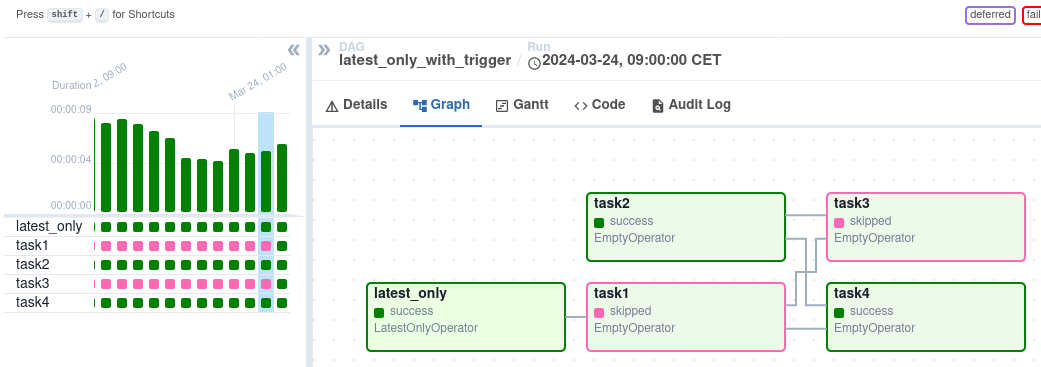
Apache Airflow uses Directed Acyclic Graphs (DAGs) to define workflows. Here's an overview of the DAG I created for this project:
Key Components of the DAG
The DAG consists of three main tasks:
- Fetch GPU data from Amazon
- Create a database table if it doesn't exist
- Insert the processed data into PostgreSQL
Let's look at some code snippets from the implementation:
1. Extracting Data with BeautifulSoup
The extraction function uses BeautifulSoup to parse Amazon search results and extract relevant information:
def get_amazon_data_gpus(num_gpus, ti):
   ...

    while len(gpus) < num_gpus:
        url = f"{base_url}&page={page}"

        # Send a request to the URL
        response = requests.get(url, headers=headers)

        # Check if the request was successful
        if response.status_code == 200:
            # Parse the content of the request with BeautifulSoup
            soup = BeautifulSoup(response.content, "html.parser")

            # Find GPU containers (you may need to adjust the class names based on the actual HTML structure)
            gpu_containers = soup.find_all("div", {"class": "s-result-item"})

            # Loop through the GPU containers and extract data
            for gpu in gpu_containers:
                title = gpu.find("span", {"class": "a-text-normal"})
                brand = gpu.find("a", {"class": "a-size-base"})
                price = gpu.find("span", {"class": "a-price-whole"})
                rating = gpu.find("span", {"class": "a-icon-alt"})

                if title and brand and price and rating:
                    gpu_title = title.text.strip()

                    # Check if title has been seen before
                    if gpu_title not in seen_titles:
                        seen_titles.add(gpu_title)
                        gpus.append({
                            "Title": gpu_title,
                            "Brand": brand.text.strip(),
                            "Price": price.text.strip(),
                            "Rating": rating.text.strip(),
                        })
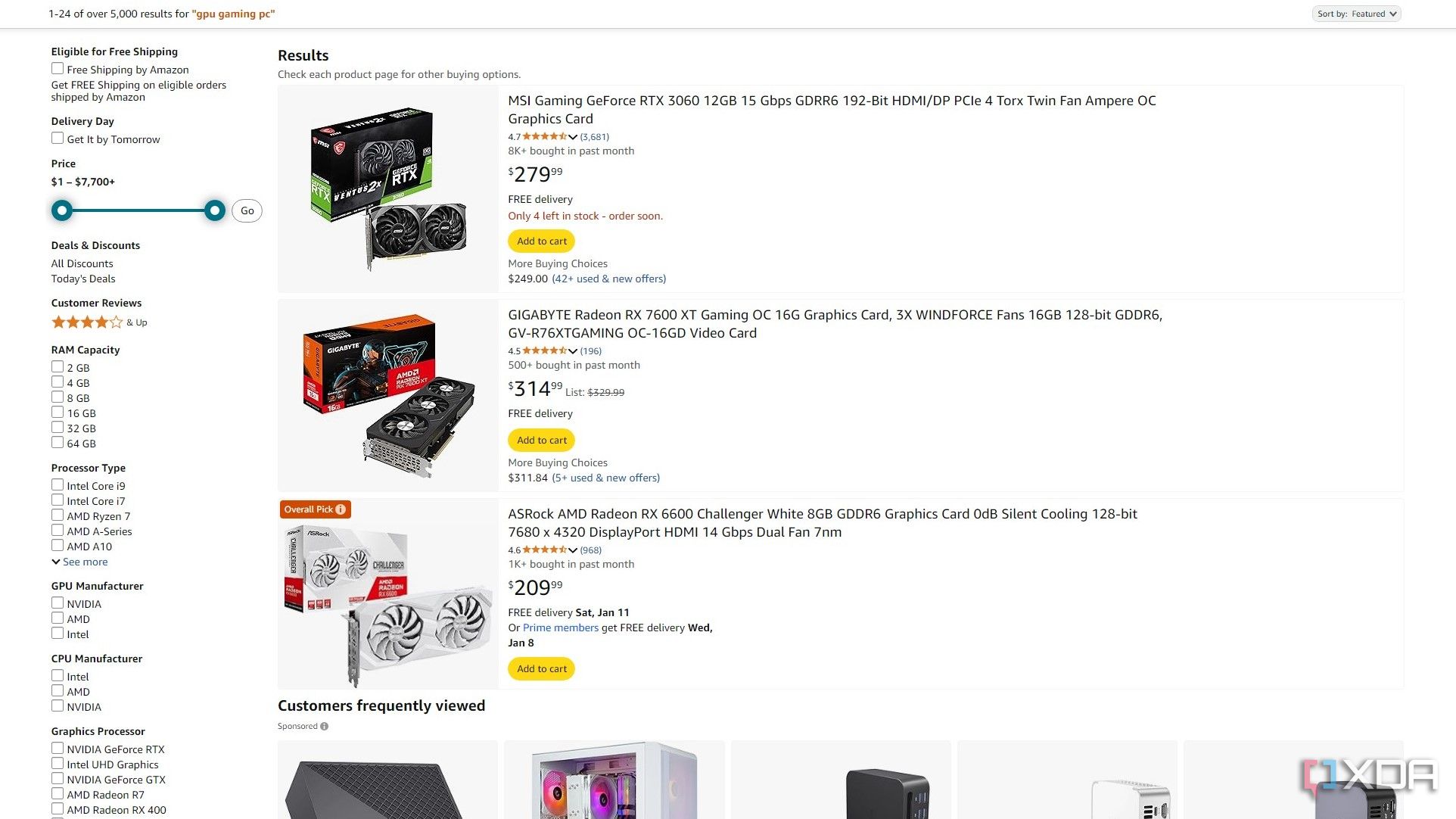
This function:
- Sends requests to Amazon's search pages for GPUs
- Parses the HTML content
- Extracts GPU title, brand, price, and rating information
- Handles pagination to collect the specified number of items
- Removes duplicates based on product titles
- Stores the results in a Pandas DataFrame for further processing
2. Creating the Database Table
The database schema is defined using a PostgresOperator:
create_table_task = PostgresOperator(
    task_id='create_table',
    postgres_conn_id='books_connection',
    sql="""
    CREATE TABLE IF NOT EXISTS gpus (
        id SERIAL PRIMARY KEY,
        title TEXT NOT NULL,
        brand TEXT,
        price TEXT,
        rating TEXT
    );
    """,
    dag=dag,
)
This task creates a table with columns for the GPU's title, brand, price, and rating if it doesn't already exist.
3. Loading Data into PostgreSQL
Finally, the data is loaded into PostgreSQL using a PostgresHook:
def insert_gpu_data_into_postgres(ti):
    gpu_data = ti.xcom_pull(key='gpu_data', task_ids='fetch_gpu_data')
    if not gpu_data:
        raise ValueError("No GPU data found")

    postgres_hook = PostgresHook(postgres_conn_id='books_connection')
    insert_query = """
    INSERT INTO gpus (title, brand, price, rating)
    VALUES (%s, %s, %s, %s)
    """
    for gpu in gpu_data:
        postgres_hook.run(insert_query, parameters=(gpu['Title'], gpu['Brand'], gpu['Price'], gpu['Rating']))
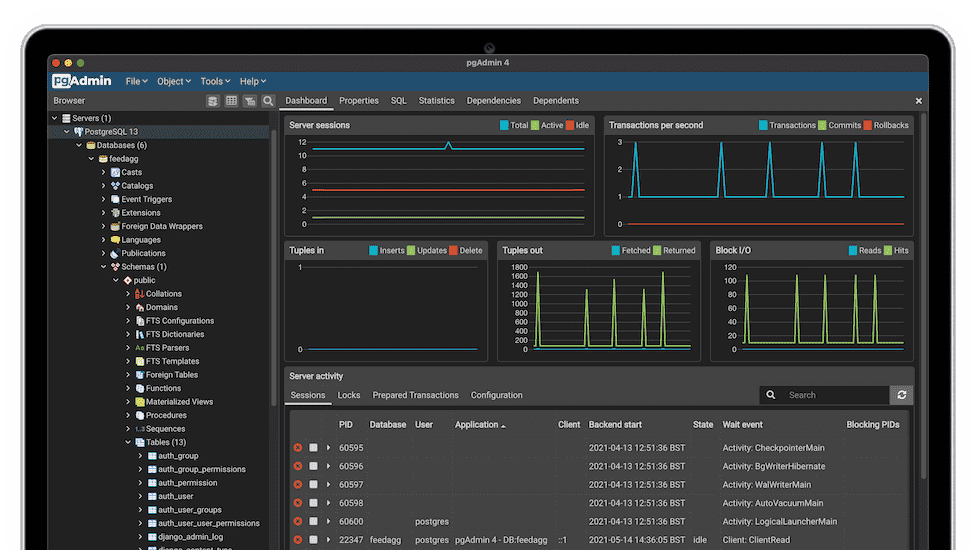
This function:
- Retrieves the processed data from Airflow's XCom (cross-communication) system
- Establishes a connection to PostgreSQL
- Inserts each GPU record into the database
Defining Task Dependencies
The workflow's execution order is defined by setting dependencies between tasks:
fetch_gpu_data_task >> create_table_task >> insert_gpu_data_taskThis ensures that tasks run in the correct sequence: fetch data → create table → insert data.
Web Scraping Challenges and Solutions
Web scraping Amazon presented several challenges:
Challenge 1: Bot Detection
Amazon implements measures to detect and block scraping activities. To mitigate this:
- I used realistic User-Agent headers:
headers = {
    "Referer": 'https://www.amazon.com/',
    "Sec-Ch-Ua": "Not_A Brand",
    "Sec-Ch-Ua-Mobile": "?0",
    "Sec-Ch-Ua-Platform": "macOS",
    'User-agent': 'Mozilla/5.0 (Macintosh; Intel Mac OS X 10_15_7) AppleWebKit/537.36 (KHTML, like Gecko) Chrome/107.0.0.0 Safari/537.36'
}
- Implemented implicit request throttling through pagination
- Added error handling for failed requests
Challenge 2: HTML Structure Changes
Amazon's page structure can change, breaking scrapers. My solution:
- Used more general CSS selectors where possible
- Implemented robust error handling
- Added checks to ensure all required data elements are present before processing
Future Enhancements
While the current pipeline serves its purpose well, there are several potential improvements:
- Price History Tracking: Modify the schema to track price changes over time
- Alert System: Set up alerts for price drops on specific models
- Data Visualization Dashboard: Create a dashboard for easier data exploration
- Expanded Product Information: Collect additional specs like VRAM, clock speeds, etc.
- Sentiment Analysis: Analyze product reviews to gauge customer satisfaction
Conclusion
Building this ETL pipeline provided valuable insights into working with Airflow, web scraping, and data engineering practices. The containerized setup makes it easy to deploy and maintain, while the scheduled nature of Airflow ensures fresh data is consistently available.
This project demonstrates how modern data tools can be combined to create practical solutions for real-world problems like price tracking and market analysis. The same approach could be adapted for other product categories or e-commerce sites with minimal modifications.

